

Ever opened monday.com, ready to get stuff done… and then—boom—login issues? Yeah, I’ve been there. Nothing kills productivity faster than staring at a login screen that just won’t cooperate.
I use monday.com regularly, and I’ve run into everything from forgotten passwords to weird browser glitches. The good news? Most login problems take less than 5 minutes to fix—if you know what you’re doing. Let’s walk through it together, step by step, like two people trying to beat tech at its own game 🙂
What Is monday.com Login (and Why It Matters)
Before we jump into fixes, let’s keep it simple.
monday.com login gives you access to your:
- Workspaces
- Projects and dashboards
- Team collaboration tools
- Automations and integrations
Basically, it’s your front door. And if the door won’t open… well, nothing else matters.
Ever wondered why login feels so critical? Because everything you do on monday.com ties directly to your account—no login, no access, no progress.
How to Sign In to monday.com (Step-by-Step)
Let’s start with the basics. If you just want to log in fast, here’s exactly what to do.
Standard Email Login
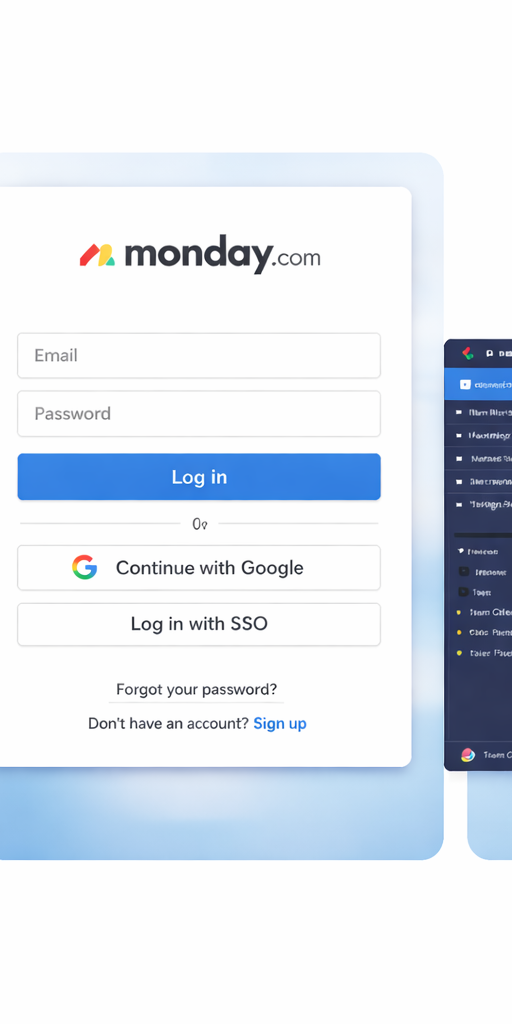
- Go to the official monday.com website
- Click “Log In” at the top right
- Enter your email address
- Type your password
- Click “Log In”
Done. Easy, right?
Login Using Google or SSO
If you hate remembering passwords (honestly, same), use this:
- Click “Continue with Google”
- Or select SSO (Single Sign-On) if your company uses it
Pro tip: I always use Google login when possible. It saves time and reduces password drama.
Common monday.com Login Issues (and Quick Fixes)
Alright, now for the fun part—fixing stuff when it breaks.
1. Forgot Your Password
Classic. Happens to everyone.
Fix it like this:
- Click “Forgot your password?”
- Enter your email
- Check your inbox (and spam folder—seriously, check it)
- Reset your password
Tip: Use a password manager next time. Your future self will thank you.
2. Wrong Email or Login Method
Here’s a sneaky one.
Did you sign up using Google but now try manual login? That won’t work.
Fix:
- Try logging in with Google or SSO
- Double-check your email spelling
I’ve wasted 10 minutes on a typo before. Don’t be me.
3. Account Locked or Suspended
If you entered the wrong password too many times, monday.com might lock you out.
What to do:
- Wait a few minutes
- Try again
- Or reset your password immediately
Still locked? Contact support.
4. Browser Issues (Yes, Really)
Sometimes the problem isn’t you—it’s your browser acting dramatic.
Quick fixes:
- Clear your cache and cookies
- Try incognito mode
- Switch browsers (Chrome usually works best)
Ever noticed how things magically work in incognito? Yeah… browser cache can be messy.
5. Slow or Failed Login Page
If the page won’t load:
- Check your internet connection
- Disable VPN or extensions
- Refresh the page
IMO, extensions cause more trouble than they solve sometimes.
How to Access Your Account Faster (Speed Hacks)
Let’s be honest—you don’t just want access. You want fast access.
Here’s how I cut login time to seconds.
Use Saved Login (But Safely)
- Enable browser autofill
- Use a password manager
This combo saves time and keeps things secure.
Bookmark the Login Page
Sounds basic, but it works.
- Save the login URL in your browser
- Open it instantly anytime
No searching, no distractions.
Stay Logged In
Check the “Keep me logged in” option—but only on your personal device.
Never do this on public computers. Unless you enjoy chaos.
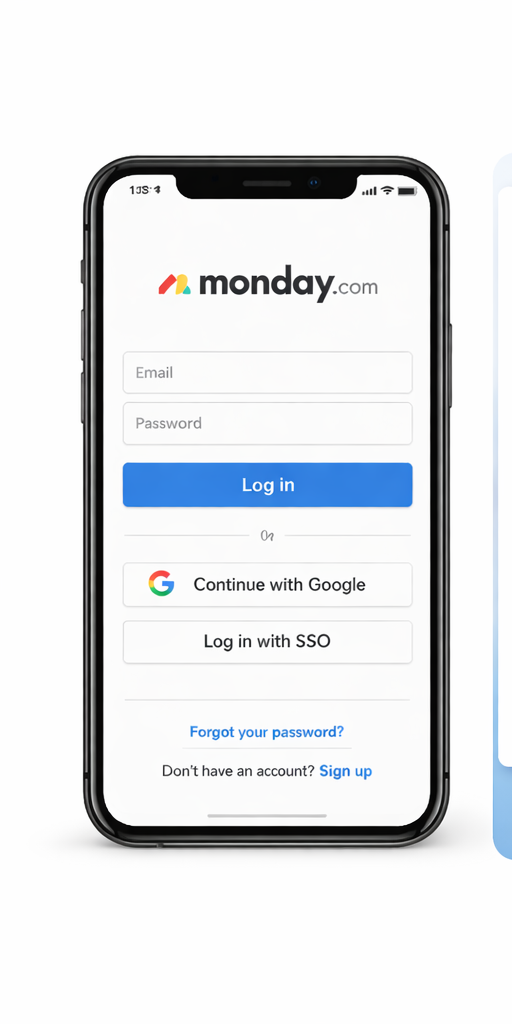
Use the Mobile App
The monday.com app logs you in once and keeps you there.
Benefits:
- Faster access
- Push notifications
- Smooth experience
I switch between desktop and mobile all the time. The app feels way quicker for quick updates.
monday.com Login Security Tips (Don’t Skip This)
Let’s get serious for a second. Your account holds important data.
Enable Two-Factor Authentication (2FA)
This adds an extra layer of protection.
- Enter password
- Confirm with a code on your phone
Yes, it takes 5 extra seconds—but it saves you from hacks.
Use a Strong Password
Avoid obvious stuff like:
- “123456”
- “password”
- Your name + birth year
Instead:
- Use 12+ characters
- Mix letters, numbers, symbols
Watch Out for Phishing
If you get a weird email asking you to log in…
Don’t click it.
Always:
- Go directly to the official site
- Double-check URLs
Hackers love lazy clicks.
monday.com Login Errors You Might See
Sometimes you get an error message that makes zero sense.
Here are common ones and what they mean:
- “Invalid credentials” → Wrong email or password
- “User not found” → Account doesn’t exist (or typo)
- “Access denied” → Permission issue or account restriction
- “Something went wrong” → Usually server or browser issue
When in doubt, refresh, retry, or switch browsers.
When to Contact monday.com Support
If nothing works, don’t waste hours guessing.
Contact support if:
- You can’t reset your password
- Your account gets locked repeatedly
- You suspect a security breach
Support usually responds fast, especially for paid users.
Comparing Login Methods: Which One Should You Use?
Let’s break it down quickly.
Email & Password
- ✔ Simple
- ✔ Works everywhere
- ❌ Easy to forget
Google Login
- ✔ Fast
- ✔ Secure
- ✔ Less typing
- ❌ Requires Google account
SSO (Company Login)
- ✔ Best for teams
- ✔ Centralized access
- ❌ Depends on company setup
My take? Use Google login if you can. It’s the smoothest option.
Personal Experience: What Actually Works Best
I’ve used monday.com across different devices, browsers, and networks.
Here’s what I’ve learned:
- Chrome + saved login = fastest combo
- Mobile app = best for quick access
- 2FA = non-negotiable for security
And honestly? Most login issues come from small mistakes—wrong method, old password, or browser junk.
Nothing dramatic. Just annoying.
Quick Troubleshooting Checklist (Bookmark This)
Next time login fails, run through this:
- ✔ Check email and password
- ✔ Try Google/SSO login
- ✔ Reset password
- ✔ Clear browser cache
- ✔ Switch browser or device
- ✔ Check internet connection
This solves 90% of problems.
Final Thoughts: Get In, Get Things Done
At the end of the day, monday.com login shouldn’t slow you down. You just want to get in, manage your work, and move on.
If you remember one thing from this guide, make it this:
Most login issues are simple—and fixable in minutes.
So next time you hit a login wall, don’t panic. Run through the steps, fix the issue, and get back to work.
And hey, if your login works perfectly on the first try… enjoy that rare moment. It doesn’t always happen.