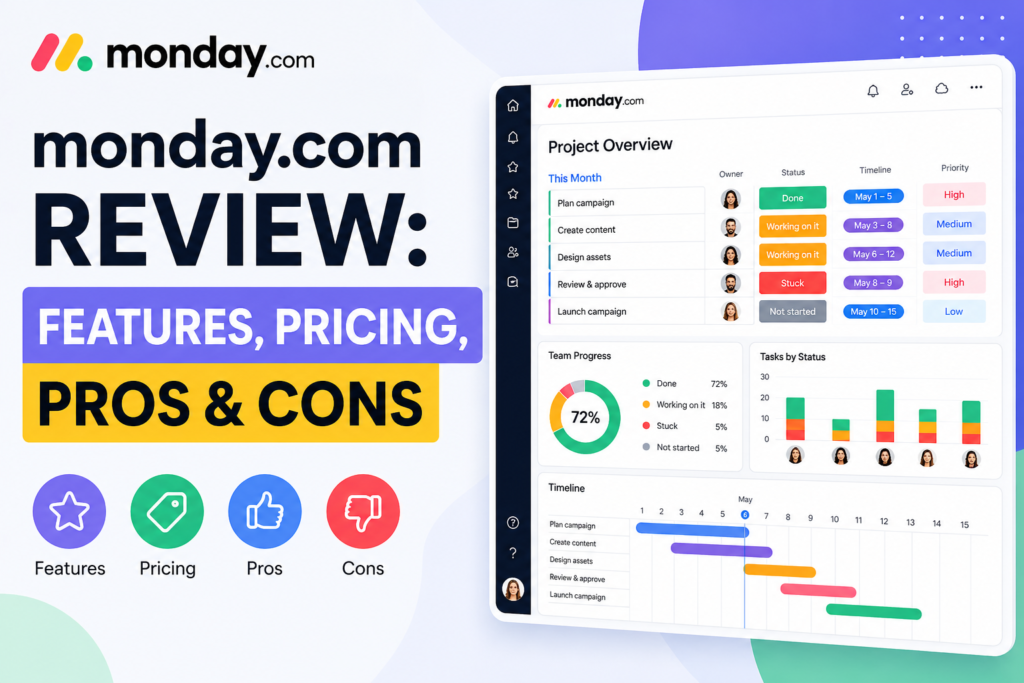

monday.com review: features, pricing, pros & cons explained. See real costs, automation limits, and whether it’s worth it for your team in 2026.
So you’ve heard about monday.com — probably a dozen times by now. Your colleague won’t stop talking about it, the ads keep following you around, and you’re sitting there wondering: is this thing actually worth it, or is it just another overhyped SaaS tool draining someone else’s budget?
Honest answer? It depends. But let me break it all down so you can stop second-guessing and make a call. I’ve spent a solid amount of time testing this platform across different team setups, and I’ll give you the real picture — the good, the slightly frustrating, and the “wait, they charge HOW much for that?” moments.
Quick note: Before diving in, if you’ve already decided to sign up, check out our guide on monday.com Login: How to Sign In to get started without any confusion.
What Even Is monday.com?
monday.com markets itself as a Work Operating System (Work OS) — essentially a central hub where your team manages projects, workflows, tasks, and processes all in one place. Think of it as the love child of a spreadsheet and a project board, with some serious automation muscles bolted on.
It’s built for teams that are tired of juggling emails, Slack messages, and 47 different spreadsheets to figure out who’s doing what. Instead of that chaos, you get one visual platform where everything lives.
It works across industries — marketing, IT, sales, HR, product development, you name it. The core selling point is flexibility: you can build workflows that actually match how your team works, not the other way around.
monday.com Key Features
Visual Project Boards
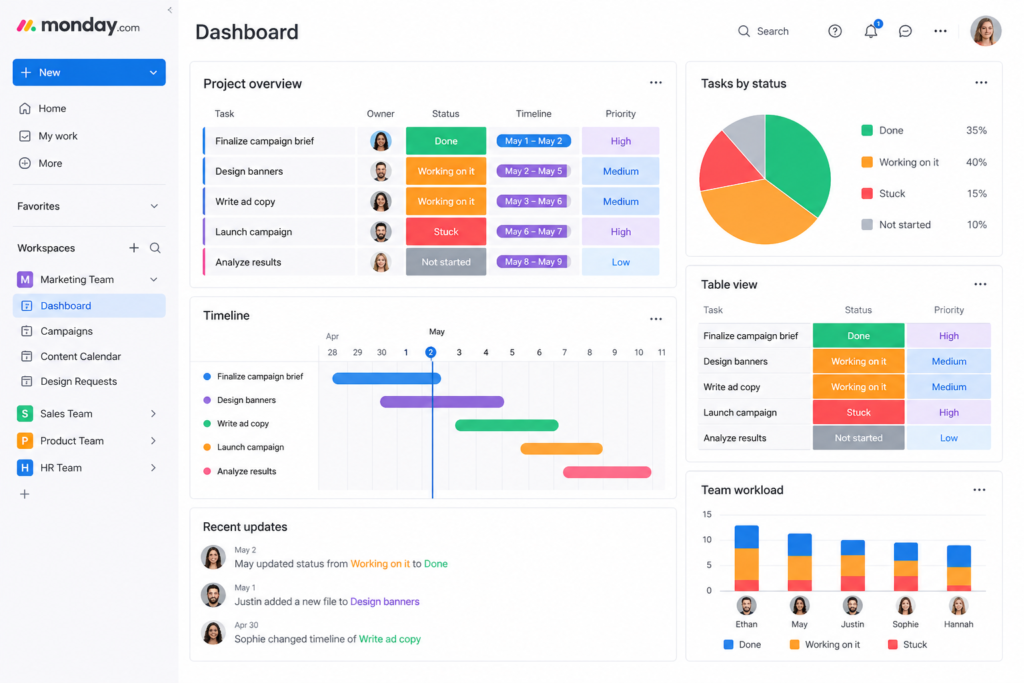
The board is the heart of monday.com. Every project lives on a board, broken into groups and items (tasks). What makes it genuinely great is the sheer number of ways you can view that data.
monday.com offers over 27 task views to visualize task progress, including charts, Gantt charts, Calendars, Workloads, Timelines, Kanban boards, Tables, Forms, Cards, Files, and Blank views. That’s not just variety for the sake of it — different teams genuinely think differently, and having your visual thinker and your spreadsheet nerd both happy on the same platform? Priceless.
Automation — The Real Time Saver
Here’s where monday.com earns its keep. You can automate repetitive tasks and reminders with no coding required. We’re talking status updates, task assignments, deadline notifications — all running in the background while you focus on actual work.
monday.com offers triggers, conditions, and actions to build linear to multi-step sequences. With these automated workflows, you can eliminate repetitive tasks like status updates, delete processes, or schedule calls.
Fair warning though: automation limits are one of the biggest complaints from users. Standard plan only gives you 250 actions/month — which sounds like a lot until your team scales up.
Dashboards & Reporting
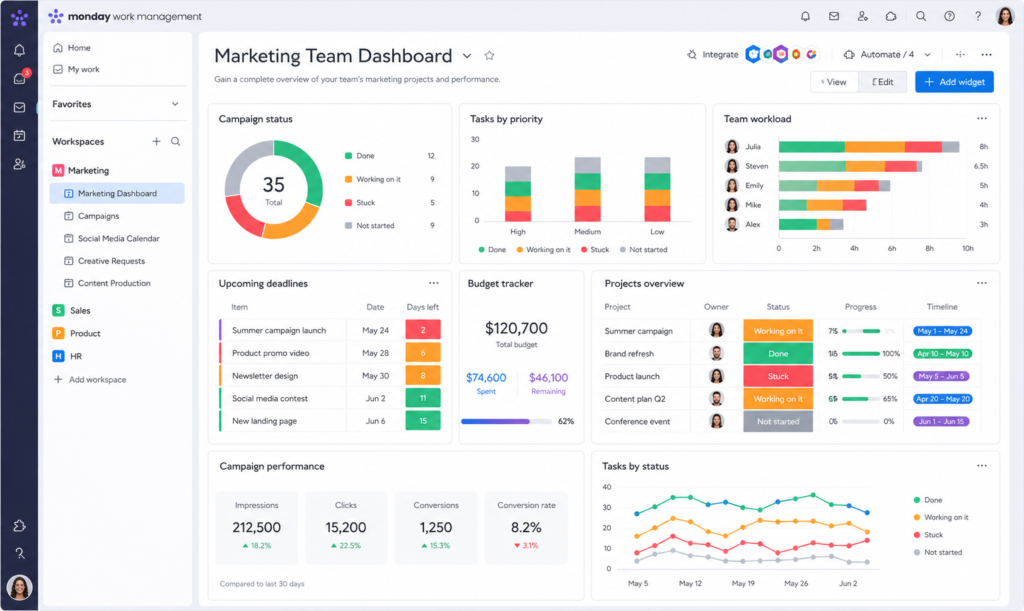
With monday.com, you can build custom dashboards by fetching data from all your projects for a holistic view of progress. The platform offers 80+ widgets through integrations with apps like videos, calendars, clocks, and images.
IMO, this is one of the best features for managers and team leads. Instead of bugging everyone for status updates, you just open your dashboard and see everything at a glance.
Integrations
The extensive monday.com integrations make it easy for users to connect their third-party tools. Some popular integrations include GitHub, Mailchimp, Zoom, and Gmail. Users can automate various tasks, share files, or make real-time updates.
The integrations library is genuinely impressive. Slack, Google Drive, Salesforce, HubSpot, Jira — it plays nicely with most of what your team probably already uses.
AI Features (New in 2026)
monday.com has started putting much more focus on AI, which is now integrated directly into boards, workflows, docs, and automations. One feature is AI Blocks — these can be added to automations and workflows to perform actions like summarizing text, generating content, translating text, or pulling key details from documents.
monday.com also introduced AI Sidekick, which works like an assistant inside the platform. You can use it to write updates, summarize discussions, or quickly generate content inside Monday Docs. AI Agents can monitor workflows and trigger actions automatically — for example, summarizing project activity or notifying the team when something important happens.
Is the AI perfect? Not yet. But it’s genuinely useful for cutting down repetitive writing tasks. I’d say it’s a promising start rather than a complete feature.
Forms & Data Collection
The Forms feature offers an efficient way to collect data and input from external parties. Users can create customized forms and share them with clients, partners, or team members.
One thing to note: forms can’t update existing items — they only create new ones. That’s a real limitation if you’re trying to run update-based workflows through forms.
monday.com Pricing Breakdown (2026)
Let’s talk money — because this is where things get spicy. 🙂
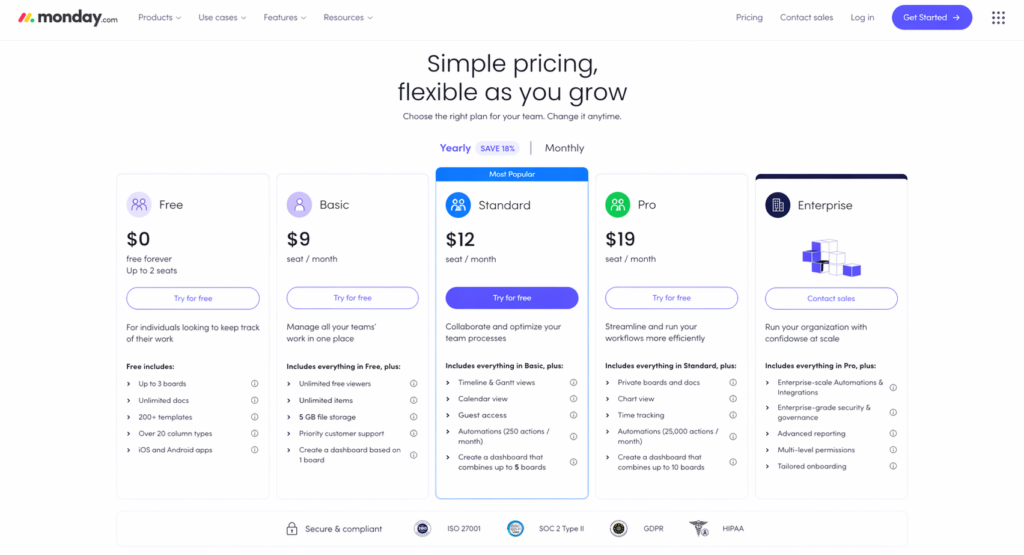
monday.com offers five pricing tiers on their official pricing page: Free (up to 2 users), Basic ($9/seat/month), Standard ($12/seat/month), Pro ($19/seat/month), and Enterprise (custom quote). All paid plans are billed annually, and here’s the kicker — all paid plans require a minimum of 3 seats, even if only 1 or 2 people use the tool.
Here’s a clean breakdown:
| Plan | Price (Annual) | Best For |
|---|---|---|
| Free | $0 (up to 2 users) | Solo testing |
| Basic | $9/seat/month | Unlimited boards, no automations |
| Standard | $12/seat/month | Most small-medium teams |
| Pro | $19/seat/month | Heavy automation, time tracking |
| Enterprise | Custom | Large orgs, compliance needs |
Which Plan Should You Actually Get?
The Standard plan is where monday.com really shines — it’s what the majority of small and mid-sized teams should use. It unlocks automations, integrations, the Gantt timeline view, and guest access. For a team of 5, that’s $60/month billed annually — pretty reasonable for what you get.
Basic at $9/seat is hard to recommend. For just $3 more per seat, Standard gives you timeline, calendar, automations, and integrations — features most teams actually need.
Pro is worth it if you’re running complex, multi-step automations at scale. Pro runs $19/seat/month and now includes the ability to combine up to 20 boards in dashboards — an increase from the previous 10-board limit.
Hidden costs to watch for:
- Storage overages cost ~$10/10GB/month beyond what’s included in your plan.
- Premium Zapier, Make, or Workato plans can add $50–300/month if you need many connections.
- monday.com also increased prices on their monday service product by 18% starting February 2026 for new customers.
Pros & Cons of monday.com
✅ pros
- Incredibly visual and intuitive. The intuitive UI simplifies task management, while various data visualization tools like Gantt charts and timelines give a clear overview of project timelines and dependencies.
- Highly customizable. 20+ column types let you structure data exactly how you need it — status labels, dropdowns, dates, people assignments, numbers, formulas, file attachments, and more. No coding required.
- Strong automation capabilities. Once set up properly, automations genuinely save hours per week.
- Excellent integrations. Plays nicely with the tools your team already uses.
- AI features are improving fast. The AI Sidekick and AI Blocks are genuinely useful for day-to-day tasks.
- Great for mid-size teams. Excellent choice for growing teams (10–200 people) that need a flexible, visual platform to manage projects, workflows, and cross-departmental collaboration.
❌ cons
- Pricing stings for small teams. The 3-seat minimum means solo users and pairs pay for unused seats. FYI, that adds up fast.
- Automation limits on lower plans. 250 actions/month on Standard is genuinely restrictive for busy teams.
- Steep learning curve on advanced features. Some users report a steep learning curve when it comes to using the more advanced features of the platform.
- Mobile app has quirks. There are occasional issues with mobile app performance.
- Forms can’t update existing items. A surprising gap for a platform this mature.
- Gantt view isn’t great for building projects. The Gantt view isn’t useful for building a project from scratch.
Don’t just take my word for it — Capterra user reviews and G2 ratings consistently back up both the strengths and the frustrations listed above.
Who Is monday.com Best For?
monday.com is best for mid-sized companies (25–500 employees) running cross-functional projects, marketing operations teams needing campaign tracking, agencies managing client work, and operations leaders who need custom workflows.
Avoid it if: your team is under 10 people and price-sensitive — check out our roundup of best SaaS tools for startups on a budget for solid alternatives. If you need deep software development features, Jira is purpose-built. Or if your primary need is document collaboration, Notion or Confluence win there.
How Does monday.com Compare to Competitors?
Ever wondered if you’re just paying more for a prettier spreadsheet? Fair question. Here’s the quick take:
| Tool | Best For | Starting Price |
|---|---|---|
| monday.com | Visual workflows, mid-size teams | $12/seat/month (Standard) |
| Asana | Task management, no seat minimum | $10.99/user/month |
| ClickUp | Budget-conscious teams | Free plan, $7/user/month |
| Notion | Document-heavy teams | Free, $10/user/month |
| Jira | Software dev teams | Free, $8.15/user/month |
monday.com wins on visual customization and cross-team workflows. If you’re also evaluating CRM tools alongside project management, our HubSpot vs Salesforce breakdown is worth a read before you commit to any stack.
For a direct pricing look at the alternatives, ClickUp’s pricing page and Asana’s pricing page are both worth checking — no seat minimum on either, which is a real advantage for smaller teams. :/
The Verdict: Is monday.com Worth It?
Here’s the bottom line. monday.com is worth it, especially if you have the budget and need built-in features like those on the Standard and Pro plans. Its interface is sizable and complex enough to support large teams with extensive processes.
It’s not the cheapest tool out there. It won’t win a speed test against simpler apps. But if your team needs visual clarity, serious automation, and cross-functional collaboration without needing a developer to set it up — monday.com genuinely delivers.
Start with the Standard plan, run a real workflow through your free trial, and see whether you’re hitting automation limits or not. That’ll tell you more than any review (including this one ;)) ever could.
Ready to actually get in? Check our full walkthrough on how to log in and set up your monday.com account — it covers everything from signing in to getting your first board running. And if you’re still evaluating tools alongside it, our roundup of the 7 best SaaS tools for startups in 2026 gives you solid alternatives to compare.
Still on the fence? Start your free monday.com trial here — no credit card needed, and the free plan is genuinely usable for small solo projects.
Sources & Further Reading: